Seamless data transfer between devices
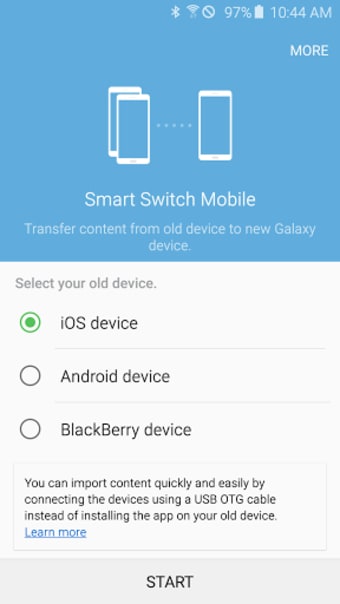
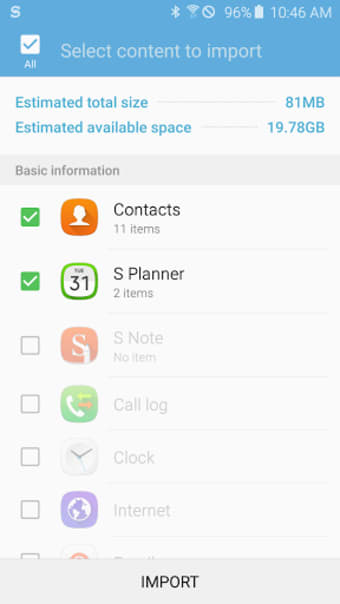
Samsung Smart Switch Mobile is a free utility developed by Samsung Electronics that simplifies transferring data between devices. The app supports moving contacts, messages, photos, DRM-free music and videos, app data, and home layouts from a variety of smartphones and computers. It allows transfers through wired connections, local networks, or cloud-based services depending on the source device. By offering multiple transfer methods, Samsung Smart Switch Mobile provides flexibility for users upgrading or switching devices while preserving existing content and settings.
Versatile transfer methods for different devices
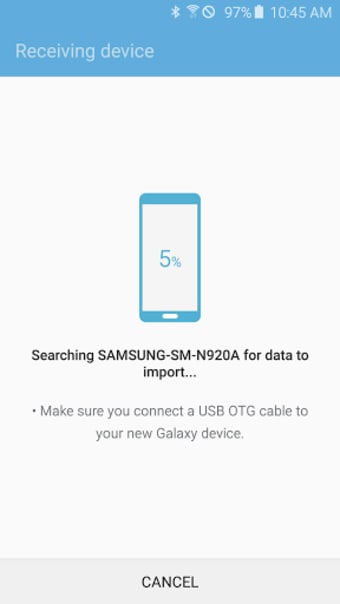
Samsung Smart Switch Mobile provides options to move data via wired connections, local wireless networks, or cloud services depending on the device type. Transfers from one device to another may use direct connections or intermediate storage solutions such as cloud backups. Performance and compatibility can vary depending on device model, operating system version, and connection type. Certain types of content, such as DRM-protected music or media, may not be transferable.
Secure and comprehensive data migration
The app requests permissions needed to access user data securely for migration. This ensures that contacts, messages, photos, and app settings are transferred safely, preserving personalized layouts and preferences. While the app is optimized for recent devices from the Samsung ecosystem, it can also import content from selected other brands, though compatibility may vary by device and operating system.
Final thoughts
Samsung Smart Switch Mobile provides a practical and user-friendly solution for migrating content between devices. Its multiple transfer methods and broad data support make it suitable for users moving content across smartphones or computers. While transfer speed and compatibility depend on the devices involved, the app offers a structured workflow to retain content and settings during upgrades or replacements.



.png)